
EVERWORKS / DEDICATED WINDOWS VST3

LIVE HOST BUILDS

Target-specific editions of THE VOID V2, EverClean and CALM 2 for Fourier Audio transform.engine and Waves SuperRack LiveBox. Same audio algorithms, deployment tuned for each server.

Windows x64 VST3 Always free Separate plugin identities
/ 00 WHY DEDICATED BUILDS

The host is part of the real-time system.

These packages keep each plugin's model, coefficients, state transitions and output mathematics intact. The differences are in the Windows execution profile, SIMD dispatch, mono routing, memory behavior and validation tools supplied for the target hardware.

They install beside the standard editions. They are official Everworks editions and are not products of, or endorsed by, Fourier Audio or Waves. Windows installers are validated and currently unsigned.

/ 01 FOURIER AUDIO

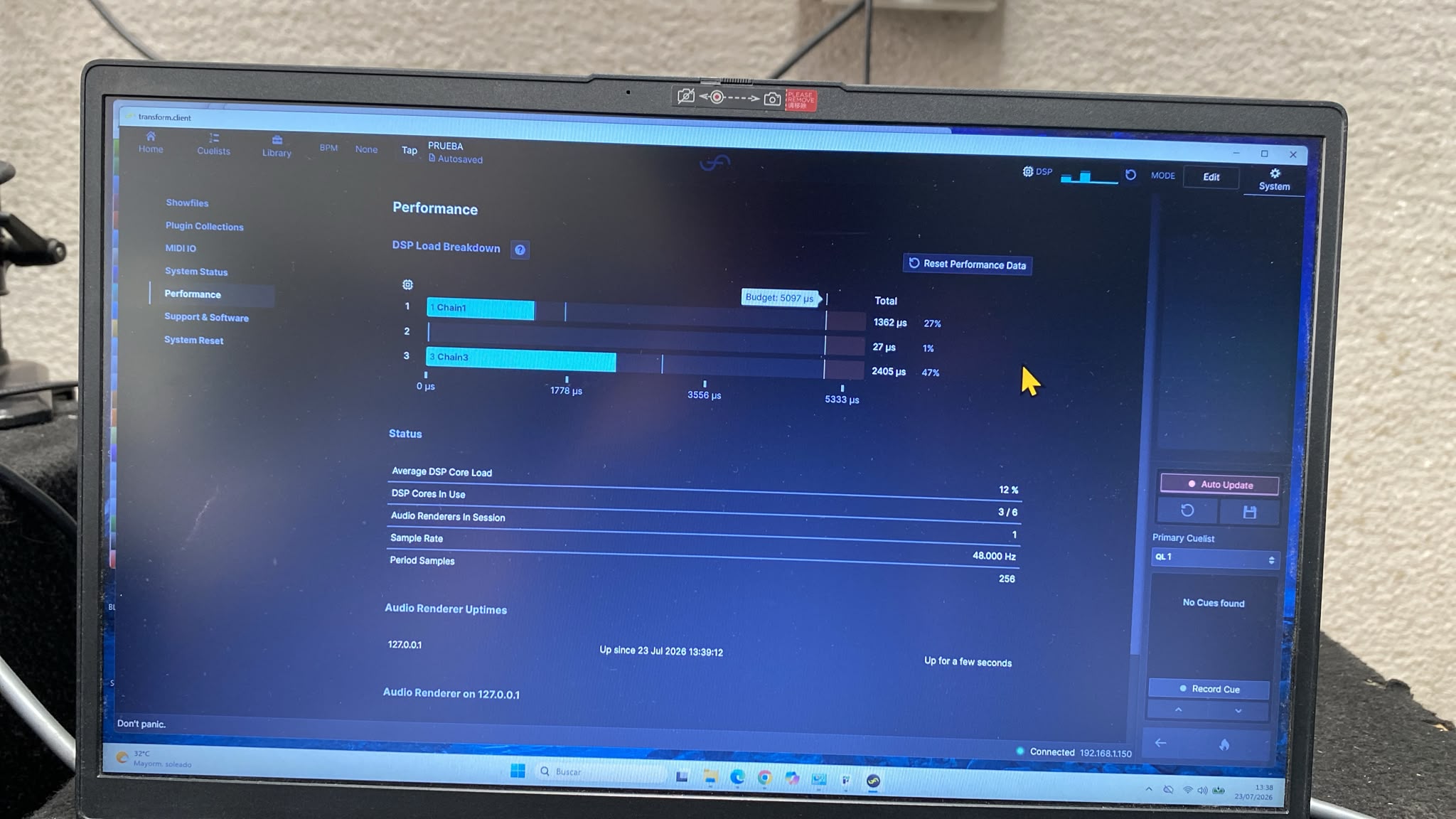
transform.engine

Compiled for the Intel Core i9-12900 platform and the short processing periods used by transform.engine. Use true mono chains for microphone inputs.

Official hardware information
Previous 2.1.2 physical measurement 48 kHz / 128 samples
THE VOID Fourier 2.1.2 33% DSP
Standard THE VOID 52% DSP

Historical 2.1.2 DSP-load reduction: 19 percentage points. Version 2.1.3 uses a compatibility AVX2 path and must be measured again on physical transform.engine before show use.

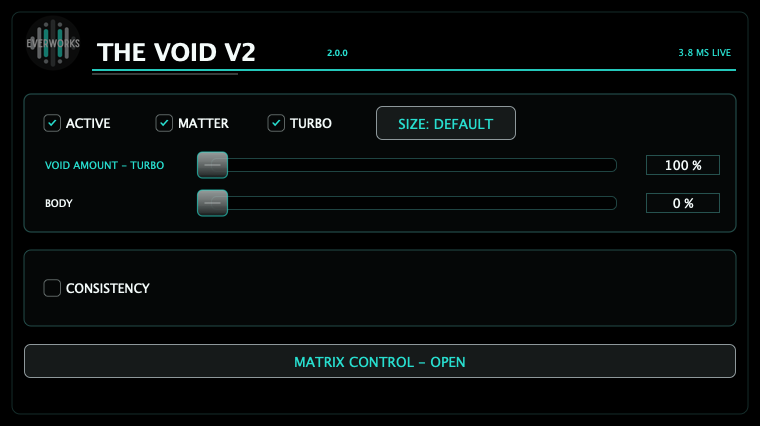
THE VOID V2 interface
VST3 / 2.1.3

THE VOID V2 Fourier

Activation-safe Fourier build with a fresh VST3 identity, the complete THE VOID V2 model, true mono default routing and an exact AVX2/SSE2 compatibility path.

  • True mono path: 1-in/1-out by default
  • 182 samples reported latency at 48 kHz
  • Physical-host validator included
Download THE VOID V2 Fourier
EverClean interface
VST3 / 1.2.0

EverClean Fourier

The zero-sample EverClean engine with static sequential oneMKL, link-time optimization, preallocated temporal state and an AVX2 live-host path.

  • True mono path: 1-in/1-out by default
  • Zero samples reported latency
  • Physical-host validator included
Download EverClean Fourier
CALM 2 interface
VST3 / 2.4.5

CALM 2 Fourier

Dedicated Fourier edition with separate VST3 identity, true mono default routing, zero-latency CALM processing and the full Vocal mode.

  • True mono path: 1-in/1-out by default
  • CALM: 0 samples; Vocal: 1262 samples at 48 kHz
  • Physical target-host timing validation pending
Download CALM 2 Fourier
/ 02 WAVES

SuperRack LiveBox

Compiled for the Intel Core i7-14700 hardware profile used by SuperRack LiveBox. The packages default to mono so a microphone channel executes one model path.

Official hardware information
THE VOID V2 interface
VST3 / 2.2.1

THE VOID V2 LiveBox

LiveBox activation hotfix with a fresh VST3 identity, the complete THE VOID V2 model and an exact AVX2/SSE2 path validated for mono SuperRack operation.

  • True mono path: 1-in/1-out by default
  • 182 samples reported latency at 48 kHz
  • Validator covers 64/128/256-sample periods
Download THE VOID V2 LiveBox
EverClean interface
VST3 / 1.1.0

EverClean LiveBox

EverClean's zero-sample audio algorithm packaged with the dedicated LiveBox compiler profile, static oneMKL and reusable audio-thread state.

  • True mono path: 1-in/1-out by default
  • Zero samples reported latency
  • Validator covers 64/128/256-sample periods
Download EverClean LiveBox
CALM 2 interface
VST3 / 2.4.5

CALM 2 LiveBox

Dedicated LiveBox edition with separate VST3 identity, true mono default routing, zero-latency CALM processing and the full Vocal mode.

  • True mono path: 1-in/1-out by default
  • CALM: 0 samples; Vocal: 1262 samples at 48 kHz
  • Physical target-host timing validation pending
Download CALM 2 LiveBox
/ 03 BEFORE THE SHOW

Install, validate, reset, soak.

  1. 01
    Install the target edition

    Run the official installer as Administrator, then rescan VST3 plugins in the host.

  2. 02
    Use a true mono chain

    For a microphone source, configure 1-in/1-out. Stereo input can execute two model paths and approximately double the channel-dependent work.

  3. 03
    Run the supplied validator

    Use the installed physical-host PowerShell validator. VM measurements are build checks, not server capacity claims.

  4. 04
    Reset and soak the complete showfile

    After all plugins initialize, reset performance data and exercise cues, GUIs and real audio for at least 30 minutes. Do not accept recurring overruns.